
If a video call starts feeling like two people staring at each other and hunting for topics, you don’t need “better lines” — you need something to do together. That’s where screen-share mini games shine.
They’re fast, low-pressure, and they create natural moments to laugh, tease, and learn each other’s vibe without forcing heavy conversation.
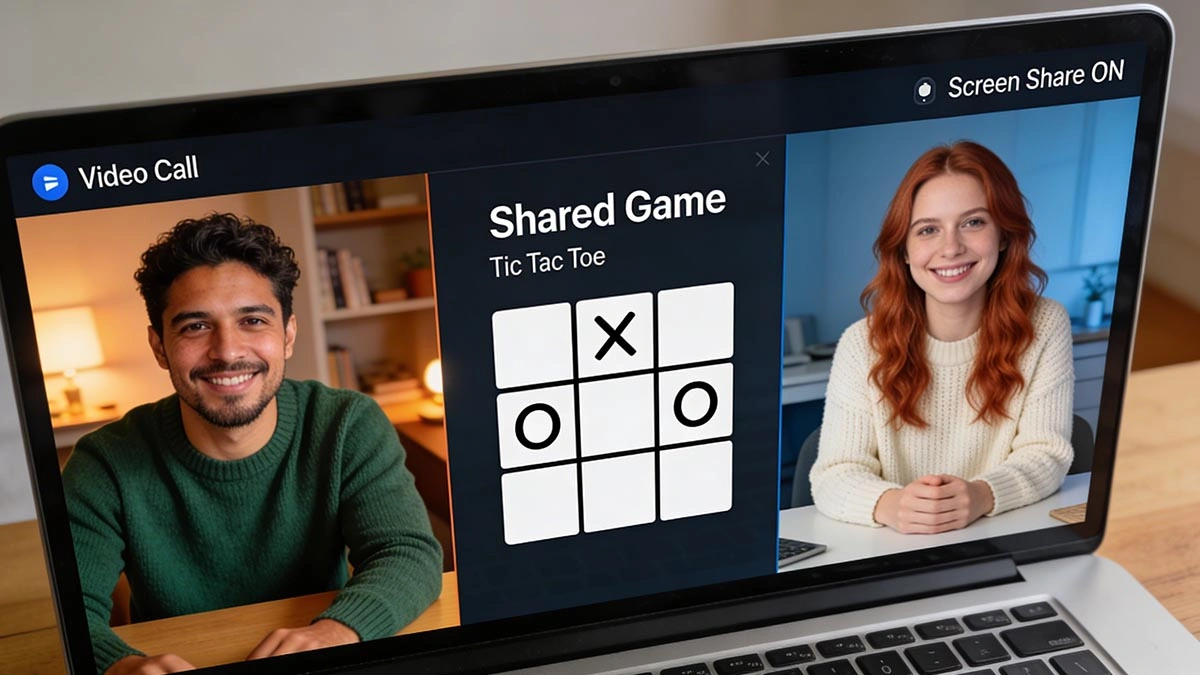
Why screen-share mini games work so well
- No awkward silence: the game gives you a shared focus.
- Instant personality: playful, competitive, chill — it shows fast.
- Micro-wins: little moments of “we’re a team” build chemistry.
- Low commitment: you can play for 3 minutes and switch.
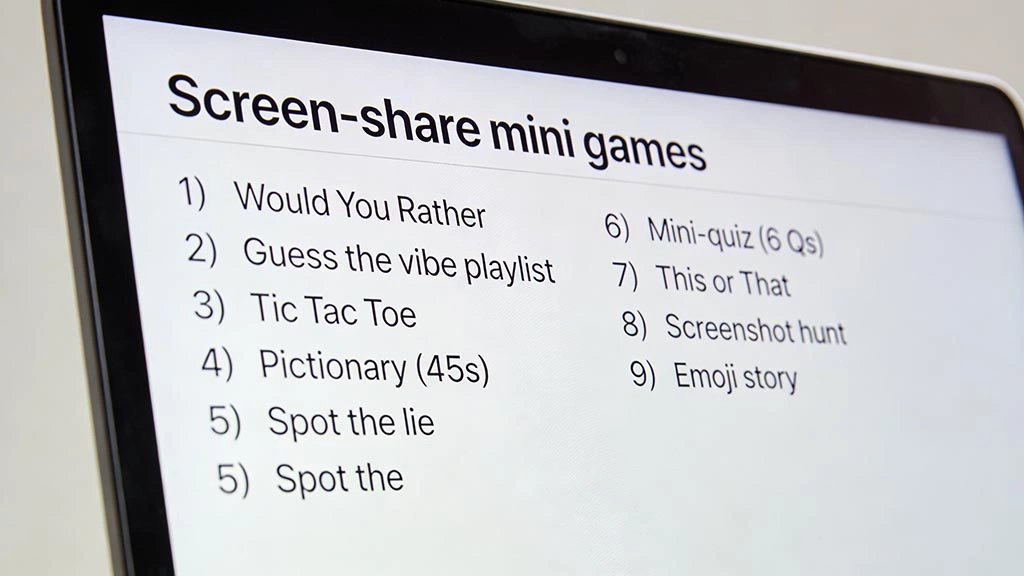
9 screen-share mini games to try tonight
Pick one that fits your energy. Keep it light. The goal is fun, not proving you’re a gamer.
1) Two-minute “Would You Rather” rounds
Share a simple list (or make your own). Do 5 questions, then stop while it’s still fun.
- Rule: answer fast, no explaining for 10 minutes.
- Upgrade: each person invents one “spicy but respectful” question.
2) “Guess the vibe” playlist game
Screen-share a playlist page (no personal info). Play 10 seconds of 5 tracks. She guesses your mood. Then swap.
3) Tic-tac-toe… but with stakes
Use a simple shared grid. Winner chooses the next game. If it’s a tie, you both pick one together.
4) Pictionary with a timer
Use a basic online whiteboard. One person draws, the other guesses. Keep rounds to 45 seconds.
Tip: choose themes like “movies”, “food”, “travel”, “childhood” — not “hard objects”.
5) “Spot the lie” (2 truths and a lie)
Each person writes 3 statements on a shared note. The other guesses the lie. Keep it playful, not humiliating.
6) Mini-quiz: “How well do you know me?”
Share a simple quiz slide with 6 questions (favorite snack, comfort movie, dream weekend). Answer first, then reveal.
7) “This or That” speed round
Make a 20-item list on a shared doc: coffee/tea, beach/mountains, early/late, etc. One person reads, both answer.
8) “Screenshot scavenger hunt”
Each person has 30 seconds to find something on their phone that matches a prompt (“a photo that makes you laugh”, “your most random screenshot”). Share only what you’re comfortable with.
9) Emoji story challenge
One person drops 6 emojis in a shared note. The other tells a 30-second story using all of them. Swap roles.
How to suggest a game without sounding weird
You don’t need a long pitch. Keep it simple:
- “Wanna do a 3-minute game so this call feels less interview-y?”
- “Let’s screen-share something silly for 5 minutes.”
- “Pick: quick quiz or pictionary?”
If she’s not into it, no drama — just switch to questions. The point is options.
Simple rules that keep it fun (not cringe)
- Short rounds: 3–7 minutes, then switch or stop.
- No “gotcha” games: avoid anything that embarrasses her.
- Protect privacy: close tabs, hide notifications, don’t share sensitive stuff.
- Keep your vibe warm: playful teasing, not roasting.
If you want more general ideas that work even without screen-share, steal a few from holiday webcam date ideas you can enjoy from home.

Pick a mini game in 60 seconds
- Choose your vibe: chill (would you rather) or playful (pictionary) or flirty (spot the lie).
- Set a tiny timer: 5 minutes.
- Agree on one rule: “We stop while it’s still fun.”
If the call ever gets awkward again, this guide helps: how to recover a webcam date after awkward silence. And if there’s clearly no chemistry, here’s the polite exit: how to end a webcam date politely when there is no chemistry.
FAQ: screen-share mini games
Do I need special tools?
No. Any basic screen-share feature plus a simple whiteboard or shared note is enough.
What if she thinks it’s childish?
Frame it as an icebreaker. “Two minutes, then we’re back to normal talk.” Short and confident.
Is screen-sharing safe?
It can be, if you prep. Close tabs, disable pop-up notifications, and don’t share anything personal. For the psychology behind why quick activities help people connect, see icebreaker activities.
